

Contacts
A contact is a person in your account — whatever your team calls them. Recruits, onboardees, candidates, reps, trainees, employees: they all store the same way, so the label you use doesn’t change how the API works. Contacts exist because everything else in ConveYour attaches to a person; a message, a lesson or a task is only meaningful once it points at one. See An Overview of Contacts in the Help Center.Fields
Fields are the custom attributes you define on a contact, on top of the built-ins like first name, last name, email and mobile. Each has a display label and a machine name — the key it appears under in a contact record, and the one you use in the API and in automations. A field is typed:string, int, bool, date, time, email, textarea, list, image, id_number, user_list, relation, related_contacts or related_custom_object. They exist so you can store whatever your process actually needs on a profile — a start date, a crew role, a certification expiry — without waiting for it to become a built-in. See Contact Fields in the Help Center.
Groups (Bookmarks)
A group is a saved search over your contact roster: a reusable filter that resolves to a set of contacts, and re-resolves automatically as contacts start or stop matching it. Groups exist so you can name a segment once and keep using it — to target messages, drive automations, or scope a report — instead of rebuilding the same query each time. The API calls thembookmarks. See Groups Introduction in the Help Center.
Notes
Notes are internal commentary recorded against a contact, supporting @-mentions, pinning and team-scoped visibility. Mentioning a teammate emails them a link straight back to the contact’s notes. They exist so the context behind a person travels with them, and so one person’s knowledge is available to whoever works that contact next. See Contact Notes in the Help Center.Tasks
Contact tasks are to-dos attached to a specific person, with a due date and assigned users. They exist to track the follow-up work a contact needs, on the contact’s own record rather than in a separate tool. Distinct from the team task board under Content. See Tasks Assigned to Contacts in the Help Center.Links
Links are reusable URL records defined once for your organization — a title plus a URL that may contain{{field}} placeholders. Each is compiled against a contact’s own data and appears as a clickable action on that contact’s profile, so one definition sends every person to their own destination. They exist so you register a link once rather than storing a separate URL on every contact.
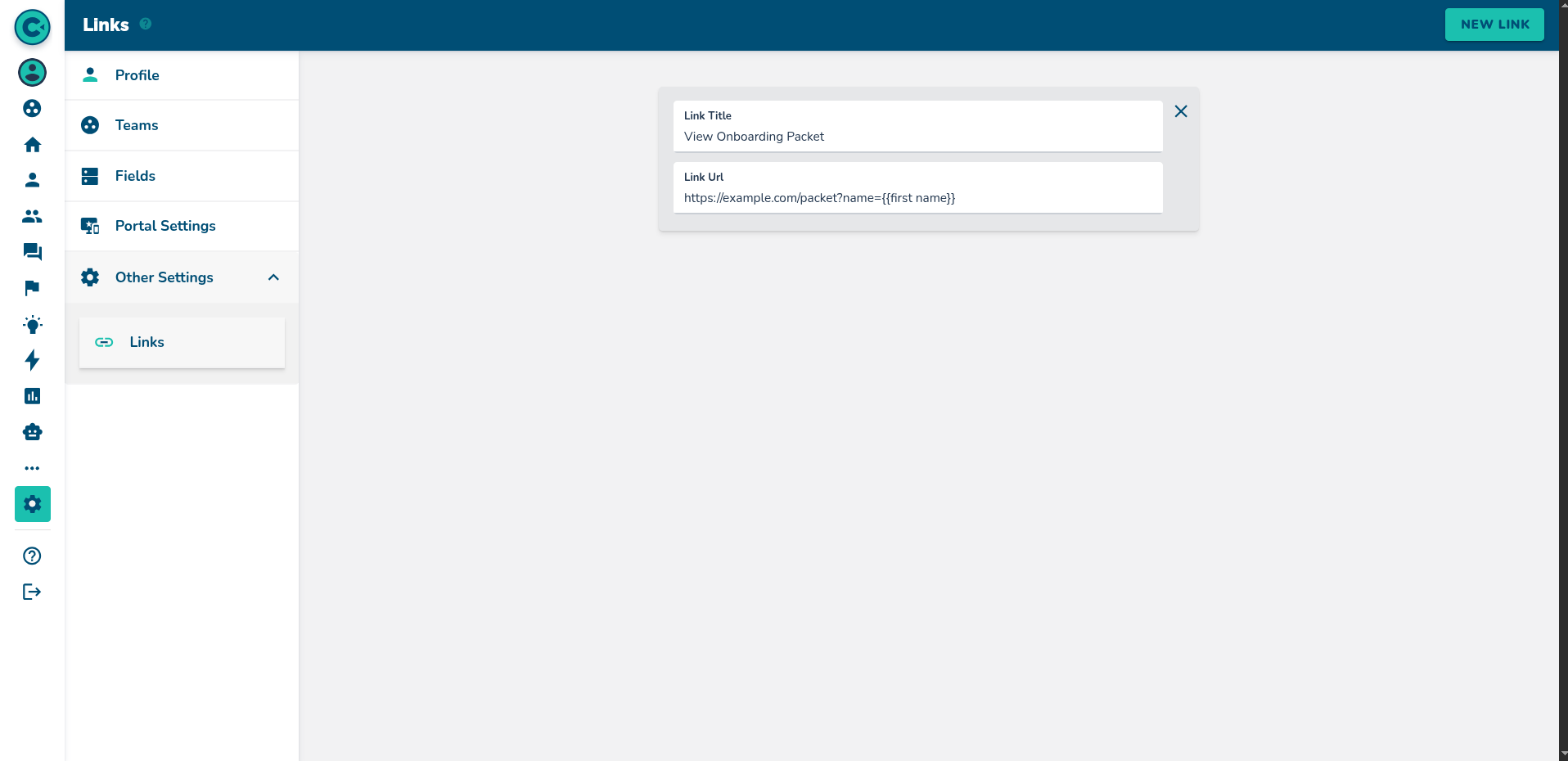
A link is defined once under Settings → Links. Its URL can carry {{field}} placeholders.
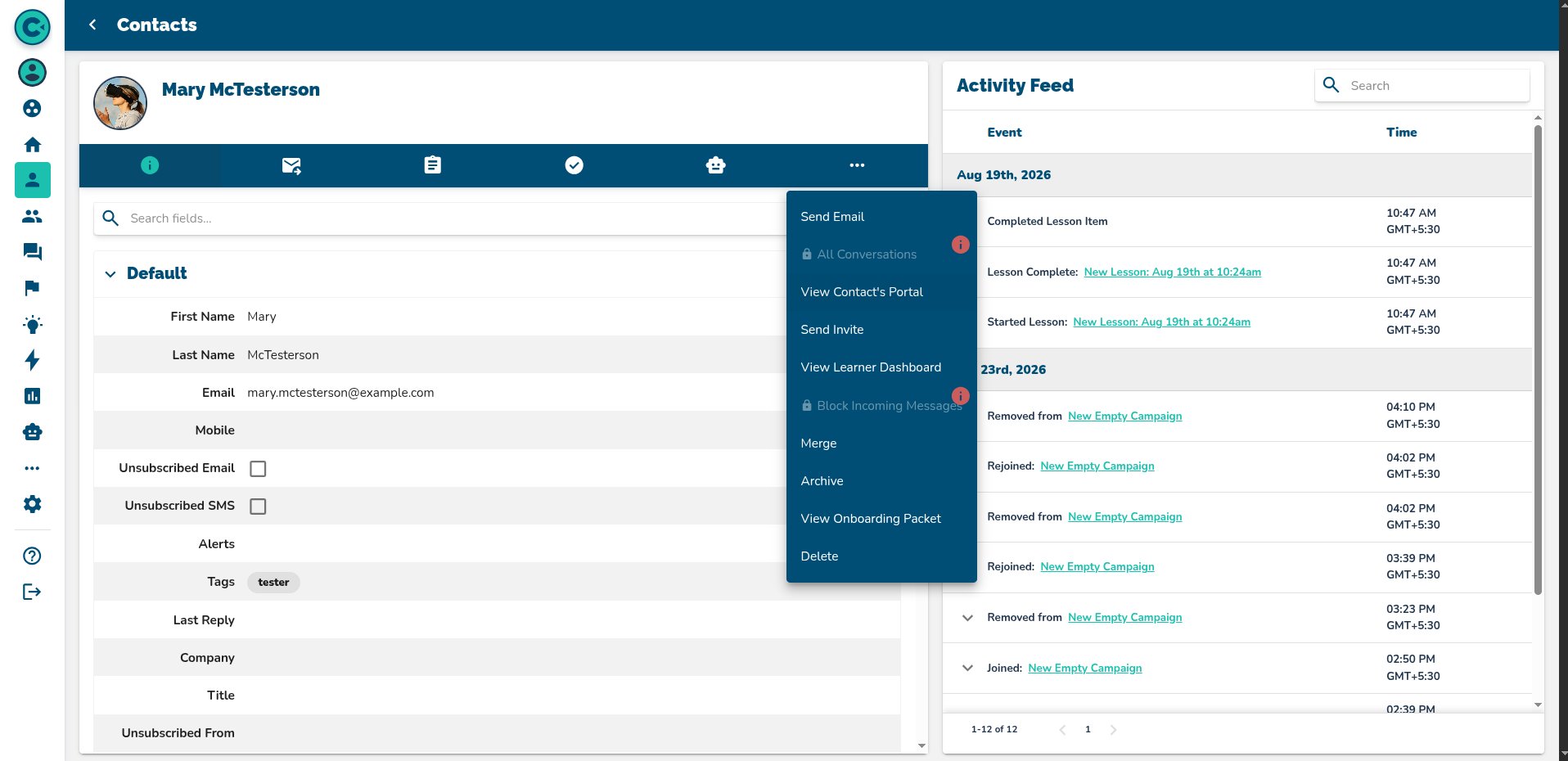
It then appears on every contact's profile, in the ⋯ menu.

Following it resolves the placeholder against that contact — Mary's link lands on ?name=Mary.